


01 / Private
01Now available for iPhone
Speak Englishwithout the pressure.
Practice everyday conversations with a patient AI companion. Speak at your own pace and build confidence with guided practice on iPhone.
Free download · Optional Miora Pro subscription
Miora“Take your time. Start with the sentence you actually want to say.”
02A familiar companion
Come back to the conversation, not a blank screen.
Miora can use account-scoped conversation and learning context to help you return to what you were trying to say, what you practiced, and what may be useful to try next.
02 / Continuity
Continue from where the last conversation ended.
Return to a useful topic, goal, or expression instead of starting over.03 / Gentle feedback
Review useful language without constantly breaking the flow.
Keep speaking, then return to one expression worth reviewing.04 / Real practice
Practice what you actually want to say in real life.
Bring the sentence you need for a meeting, trip, or everyday conversation.03How it works
A calm loop for spoken confidence.
- 01
Start with voice or text
Use voice first, or switch to text when you need an easier entry.
- 02
Practice what you need to say
Bring a meeting, trip, or everyday sentence to Miora.
- 03
Keep the conversation moving
Pause, restart, and notice feedback without scoring every sentence.
- 04
Return with a next step
Review a useful expression and continue from relevant learning context.
04Experience
Leave with one useful next step.
Keep the conversation moving. When a clearer phrase helps, save it for Review and return to it when you are ready to practice again.
Last conversation
“I want to feel more natural in meetings.”
Next step
Try: “I'd like to sound more natural in meetings.”
Return to this expression in Review when you are ready.
Inside the iPhone app
A little practice. A familiar place to return.

01 / Miora for iPhone
Talk at your own pace
Speak with Miora and follow the reply with on-screen subtitles.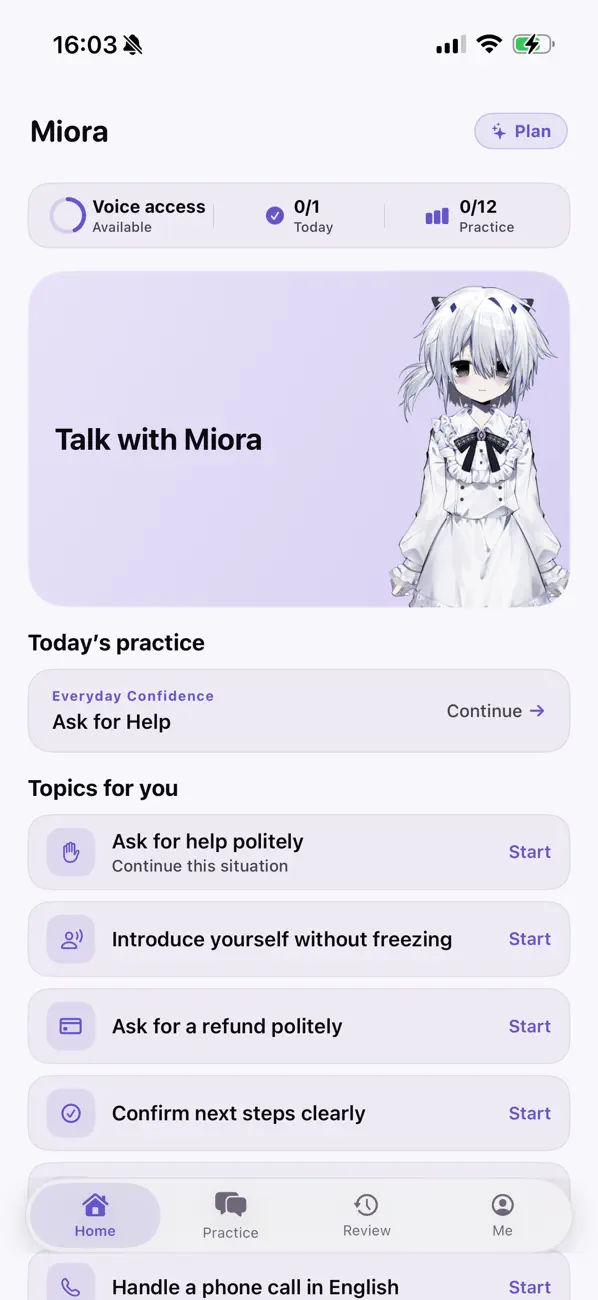
02 / Miora for iPhone
Find a place to start
Return to today’s practice or choose a topic that feels useful.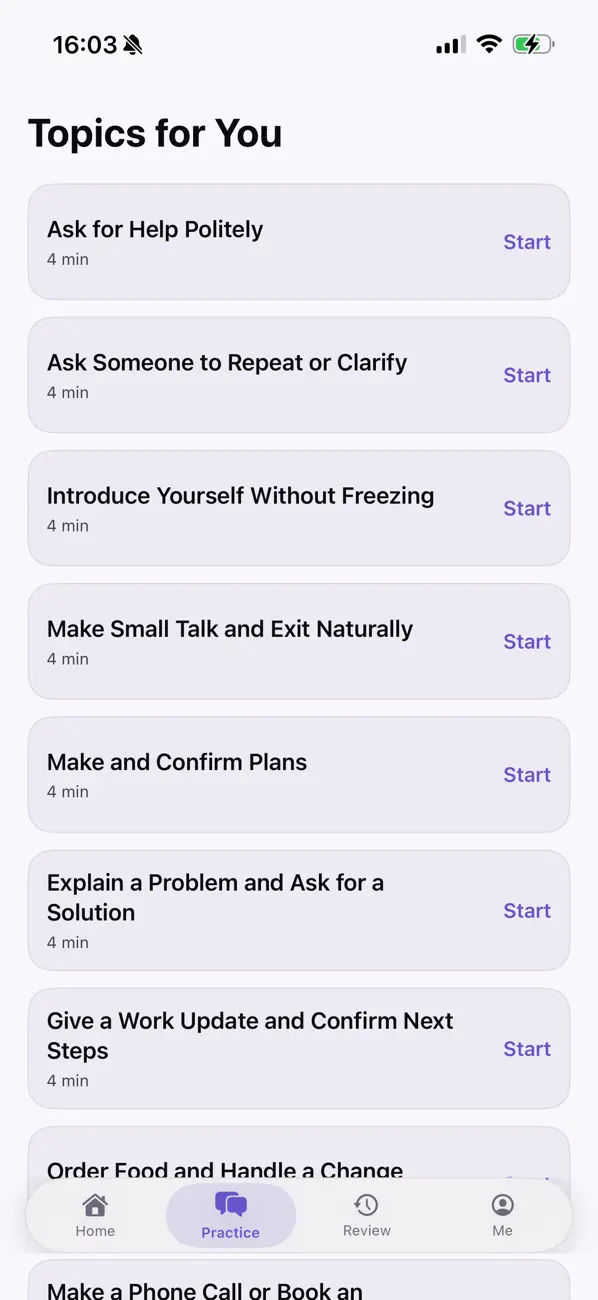
03 / Miora for iPhone
Rehearse everyday moments
Practice asking for help, making plans, or giving a work update.05Privacy
A private practice space, explained plainly.
Conversation and learning data are scoped to your account. Voice and AI features may use third-party processing. Miora explains what is processed and how account deletion works—without making claims the product cannot prove.
- Account scope
- Your private learning data is tied to the signed-in account.
- Provider processing
- Voice and AI features depend on configured service providers.
- Deletion support
- Clear product and support paths explain account deletion.
06Miora Pro
More room for longer practice.
Free to download. Choose Miora Pro for a higher voice practice allowance.
Price shown in the iPhone app / 1 month
Optional monthly auto-renewing subscription. Pricing and renewal details are shown by Apple before purchase. Manage or cancel in your Apple Account settings.
07Good to know
Questions before you speak.
Where can I download Miora?
Miora is available on the App Store for iPhone and requires iOS 17.5 or later. Voice and AI features need an internet connection. Availability depends on your App Store region.
Is Miora free?
Miora is free to download with a limited voice practice allowance. Miora Pro is an optional monthly auto-renewing subscription that increases that allowance. Your local price and renewal details are shown by Apple before purchase.
What is Miora?
Miora is a voice-first English speaking companion for learners who know some English but hesitate when speaking to people. Miora can respond to voice or text and help you review a conversation.
Is AI feedback always accurate?
No. AI replies, corrections, transcripts, and recommendations can be incomplete or inaccurate. Review important output before relying on it.
What does Miora remember?
Miora can use account-scoped conversation and learning context, such as a practiced topic or useful expression, to support future practice. It does not guarantee perfect memory. The Privacy Policy explains what is processed and why.
How do I delete my account?
In the iPhone app, open Me, choose Settings, then select Delete account. Deleting Miora does not cancel an Apple subscription; Support explains both steps.
08Start with one sentence